Actualizando el Reloj Loftie

¡Espera! ¿Actualizando una lámpara Loftie? Ve a esta página aquí!
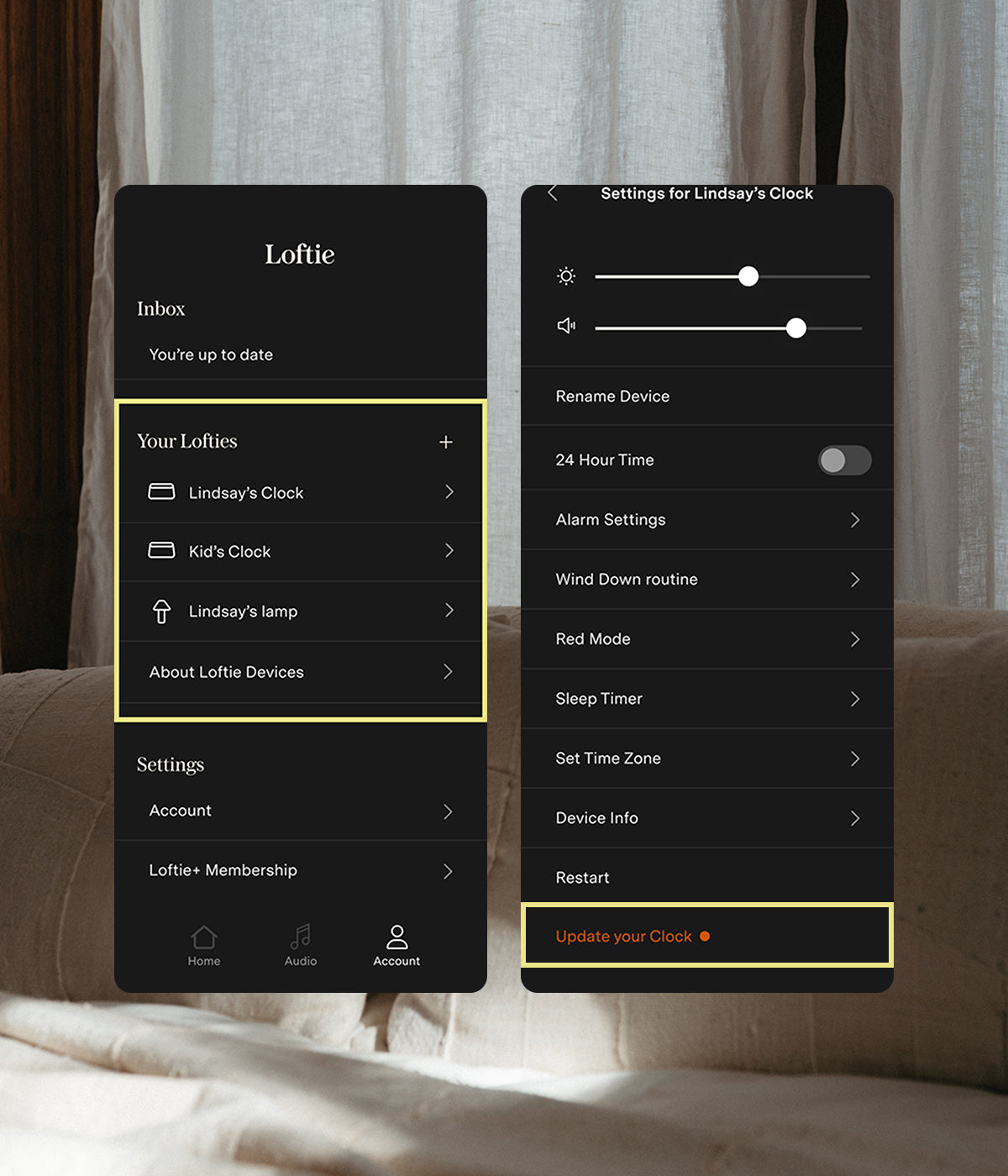
The Loftie Clock is easy to update — choose your method:

Method 1:

On your App

1. Open your Clock's settings from the Account tab in your app

2. Scroll to the bottom of the page and tap "Update your Clock." "Update your Clock" will be orange if there's an update available.

3. Confirm your selection when the update popup shows.

Voila — upon restart, your Clock will have updated itself with the most up-to-date software.
Method 2:

On your Clock

1. Make sure your Clock is plugged in and connected to wifi.

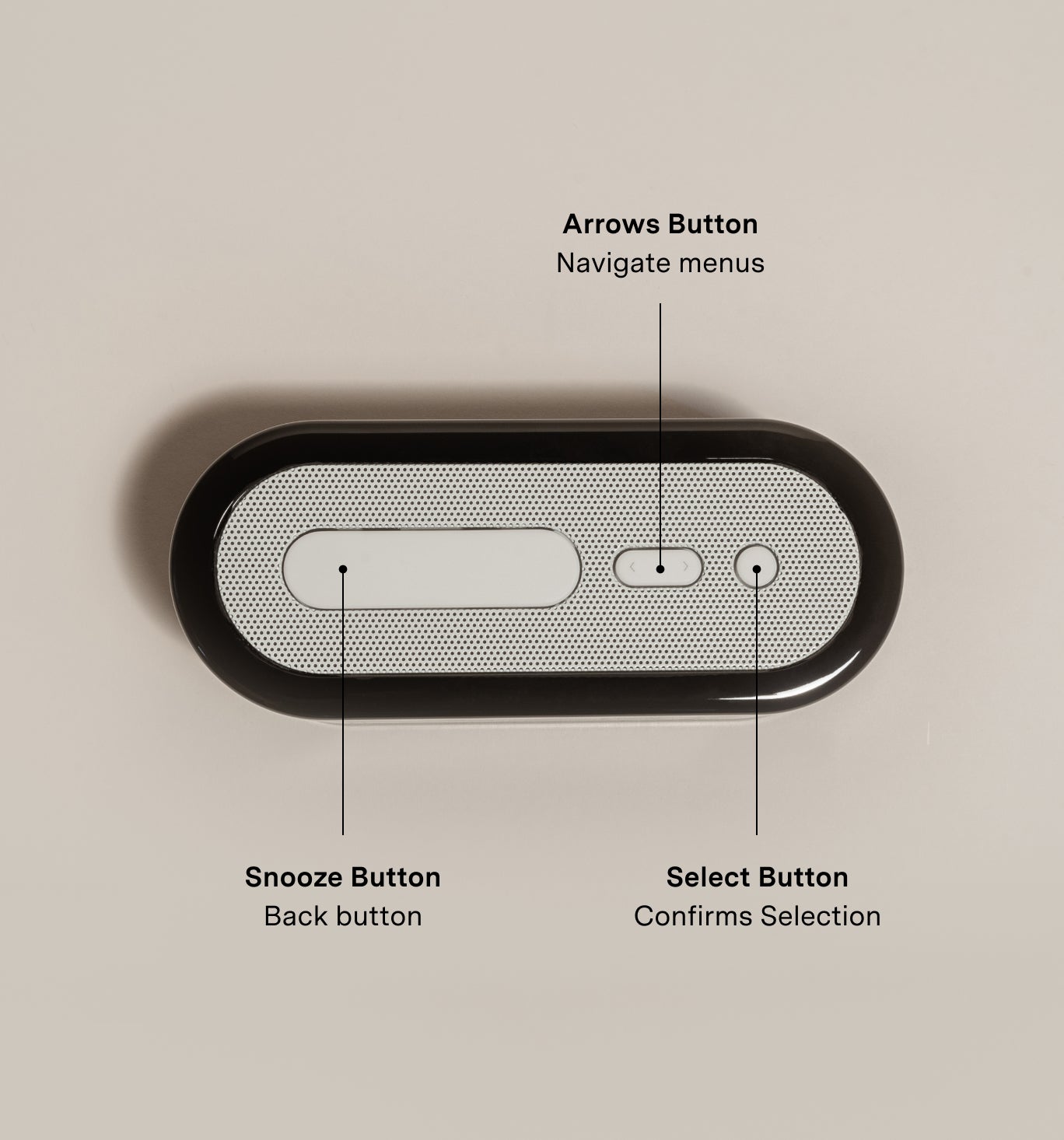
2. Use the Arrows Button on the clock top (it's the middle button) to navigate to "Settings"
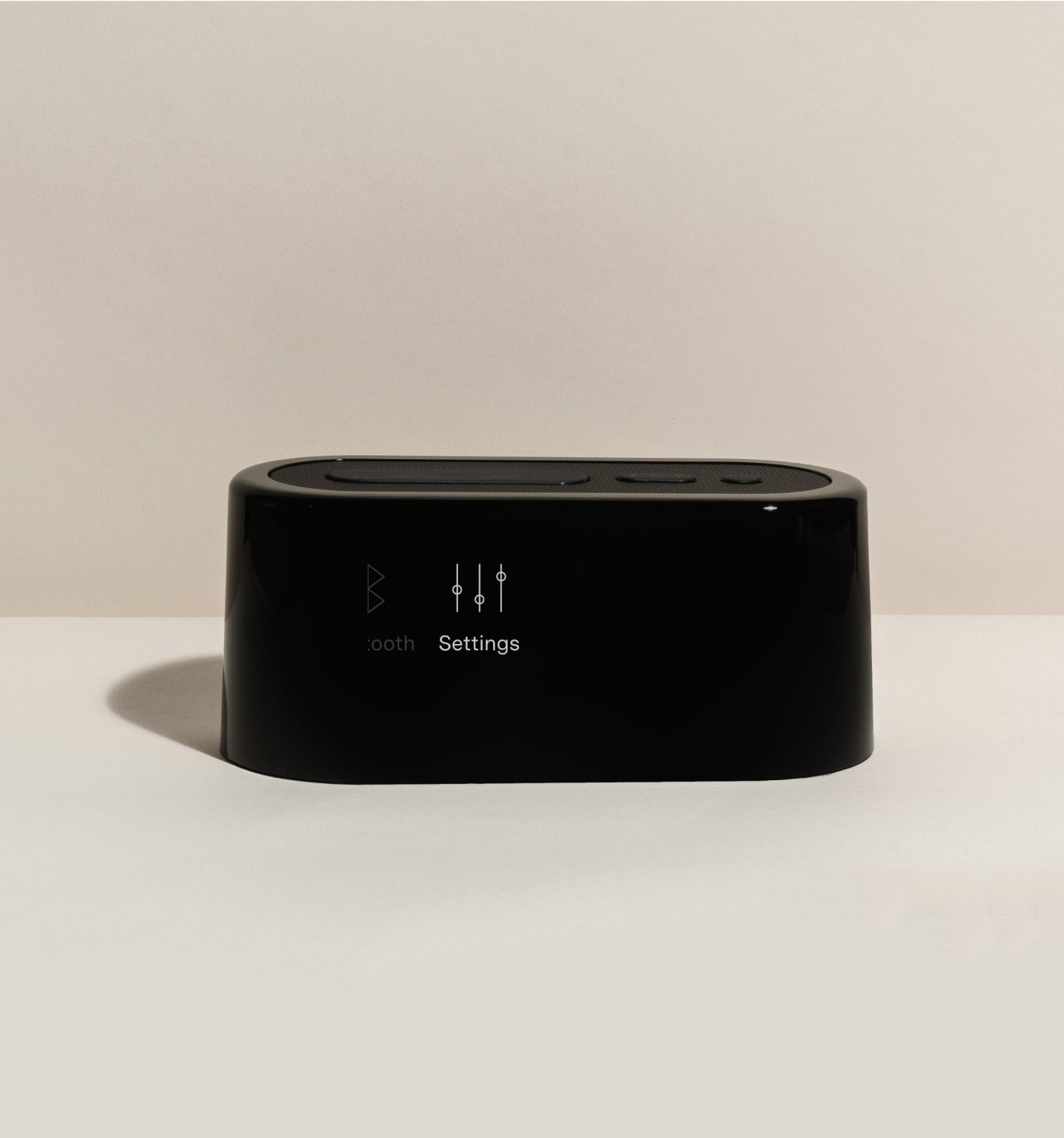
3. Click the round Select Button (the right-most button) to open up "Settings"
4. Use the Arrows Button again to navigate through the list in the "Settings" menu to "Restart" (if your clock is unplugged, this will say "Power Off" instead of "Restart")

5. Click the round Select Button again to select Restart

Voila — upon restart, make sure to say ‘yes’ if you’re prompted to update.

FAQ

0009_2.0.0
(released on 11/25/25)

You can find the version on your Loftie by navigating to the bottom of the Settings menu. The version number will show at the bottom of the menu screen.

Most updates take a few minutes. But we always recommend doing this when you'll be away from your Loftie Clock for a few hours. This is because some updates include more content than others and need more time to catch up.

Yes.

Yes.

No, it won't. We designed it that way. Because a clock's alarm cannot go off while it's updating or restarting, we believe you should choose when you want to do restart and update your clock.

Yes, it may go through a few phases. You'll know the update is complete when Loftie displays the current time. Please keep your Loftie fully plugged in during the update process. 
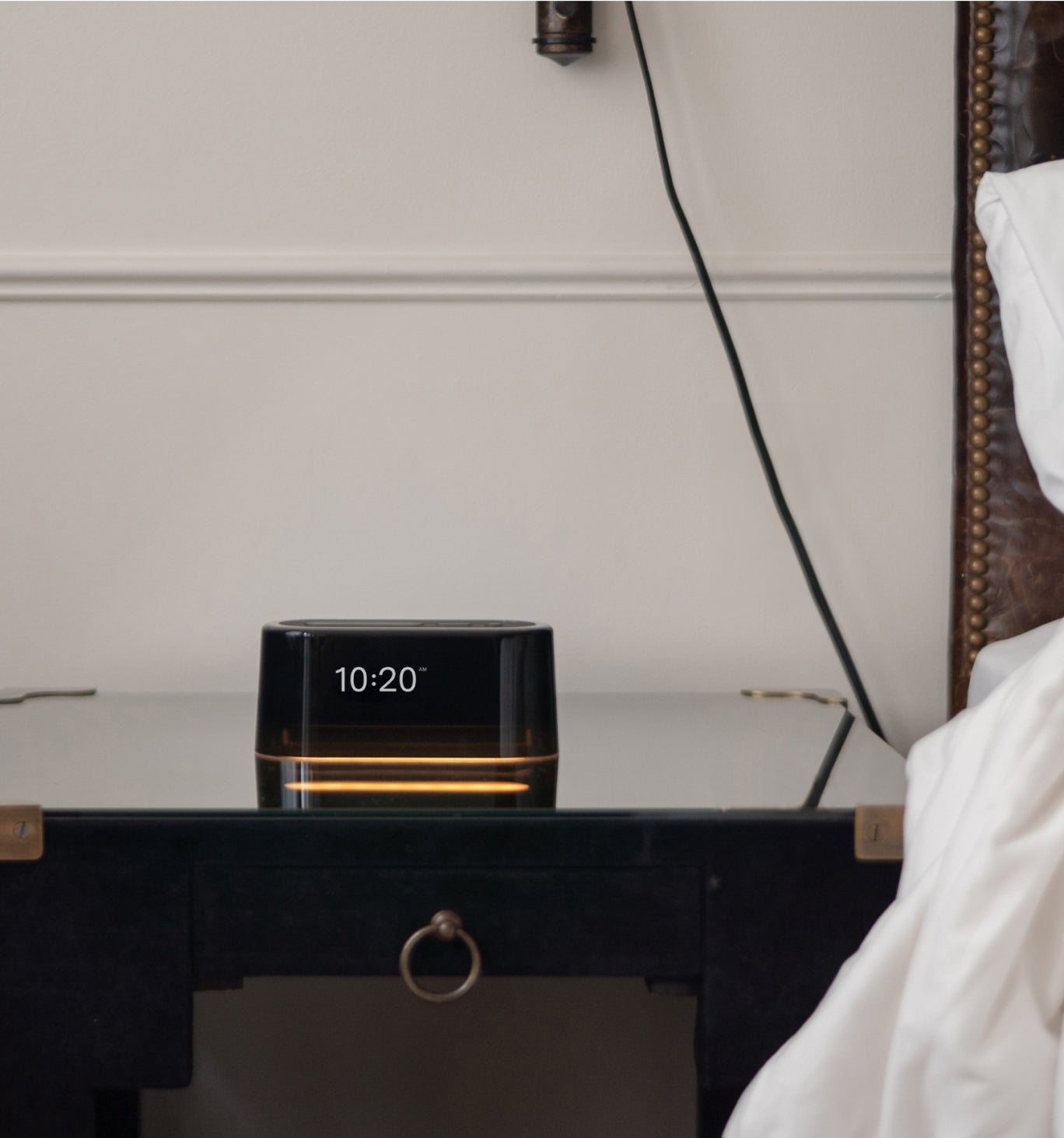
Updating longer than you think is normal? Try out the below suggestions: 

More than 1 hour: If your Loftie has been updating for more than 1 hour, then we recommend restarting your Loftie. You can do this by holding down the small round Select button on the top of the clock until the screen refreshes.

Seeing a "!" exclamation point: That's normal. Your Loftie might need a little extra time to redownload or reformat some of the audio tracks. Please visit this page to learn more.
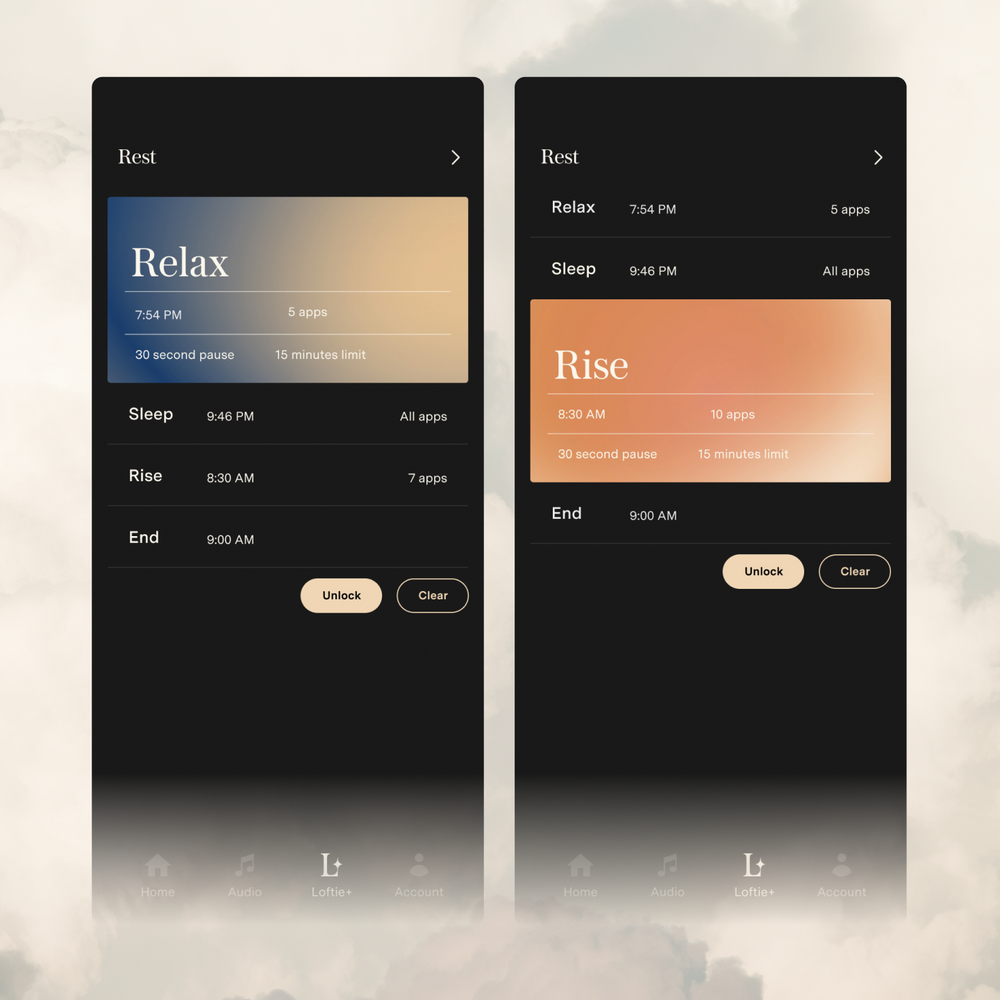
Rest, Relax, and Recharge with Loftie Rest

Biblioteca de Contenido Loftie+

Escucha tu audio Loftie en cualquier lugar y en cualquier momento con la aplicación Loftie. Las actualizaciones regulares amplían la biblioteca con libros clásicos, meditaciones, piezas educativas, poesía, ASMR, asociaciones exclusivas y más.

Creador de historias

Crea contenido de audio personalizado para incluir tu nombre y cosas favoritas. Haz tantos como desees. Cada pista que crees se guarda en tu aplicación y reloj para que puedas escucharla de nuevo.

Rutinas para relajarse

Crea una rutina consistente personalizando y automatizando tus pistas favoritas de Loftie para reproducir antes de dormir. Cuando quieras y por el tiempo que quieras.

Descanso

¡Deja de hacer doomscroll! Descansar es una secuencia de cuatro partes de bloqueo de aplicaciones diseñada para ayudar a reducir el tiempo frente a la pantalla al inicio y al final de tu día, permitiendo que tu cerebro y cuerpo hagan la transición hacia y desde el sueño.

Escuela Nocturna y Entrenador de Sueño

Un curso de sueño de seis partes basado en la ciencia que te proporciona educación y cambios de estilo de vida en porciones pequeñas para un mejor descanso y un entrenador impulsado por IA que te apoya en tu camino hacia un mejor sueño.

Biblioteca de Contenido Loftie+

Escucha tu audio Loftie en cualquier lugar y en cualquier momento con la aplicación Loftie. Las actualizaciones regulares amplían la biblioteca con libros clásicos, meditaciones, piezas educativas, poesía, ASMR, asociaciones exclusivas y más.

Creador de historias

Crea contenido de audio personalizado para incluir tu nombre y cosas favoritas. Haz tantos como desees. Cada pista que crees se guarda en tu aplicación y reloj para que puedas escucharla de nuevo.

Rutinas para relajarse

Crea una rutina consistente personalizando y automatizando tus pistas favoritas de Loftie para reproducir antes de dormir. Cuando quieras y por el tiempo que quieras.

Descanso

¡Deja de hacer doomscroll! Descansar es una secuencia de cuatro partes de bloqueo de aplicaciones diseñada para ayudar a reducir el tiempo frente a la pantalla al inicio y al final de tu día, permitiendo que tu cerebro y cuerpo hagan la transición hacia y desde el sueño.

Escuela Nocturna y Entrenador de Sueño

Un curso de sueño de seis partes basado en la ciencia que te proporciona educación y cambios de estilo de vida en porciones pequeñas para un mejor descanso y un entrenador impulsado por IA que te apoya en tu camino hacia un mejor sueño.

(281)